

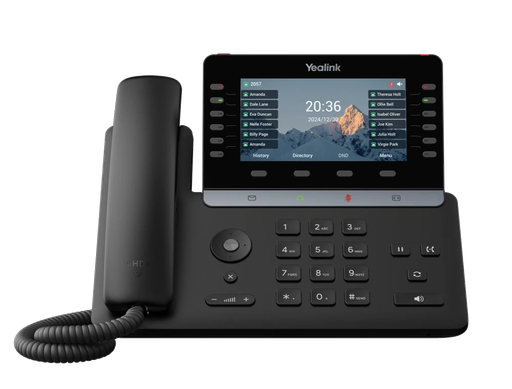
 YEA-SIP-T85W
T85W Ultra Business Phone
Yealink's top desk phone: a large color screen, built-in Wi-Fi and Bluetooth, and keys for busy lights, park and shared voicemail.
$279.00
View product
HBE Yakabit's own Enterprise VoIP PBX, developed in-house and recently upgraded with more than 80 features our customers asked for. It runs on our own servers in our own datacenter, and every desk phone, wireless handset and softphone arrives set up and ready: plug it in, or scan a code, and it works.
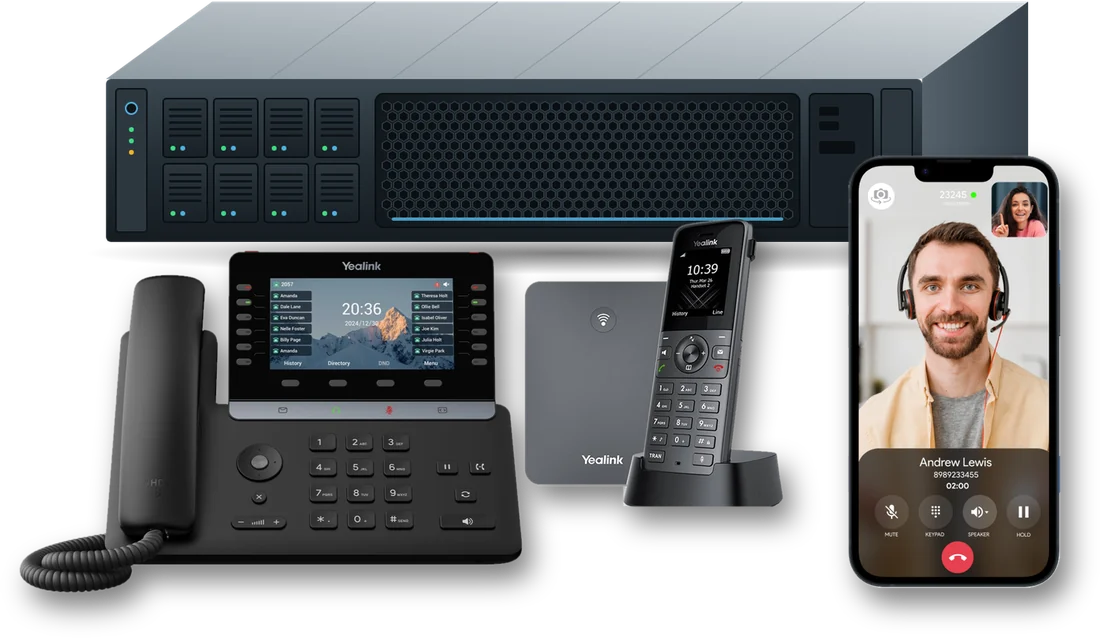
It is HBE Yakabit's own business phone system, developed in-house and recently upgraded with more than 80 features our customers asked for. It runs on our own servers in our own datacenter, and every desk phone, wireless handset and softphone arrives set up and ready: plug it in, or scan a code, and it works.
Yes. Bring the numbers you have from your current provider and still use every feature.
Often, yes. Many existing Yealink and Grandstream phones can be moved over remotely. Supported desk phones include the Yealink T27P, T27G, T43U and T85W (with EXP20 sidecars), and the Grandstream GXP2160, GXP2170 and DP755 cordless base.
The HBE Engineering Team can most of the time, convert over other VoIP phones. Contact an HBE Yakabit rep and tell them what phones you want to use and they will reach out to Engineering and get back with you.
Yes. Every office, branch, home office and field site works as one building: 3-digit dialing between sites, shared park and busy lights, and each site with its own number, opening hours and 911 address.
On HBE Yakabit's own equipment, in our own racks, managed by our own engineers. HBE Yakabit owns and runs the whole stack: the network, the servers, the phone system, the portal and the backups. No white-label resale, no finger-pointing between vendors.
Battery backup keeps every server running the instant the power drops, with no interruption to calls, and a monitored generator takes over for longer outages. Two air conditioning units, each able to cool the room alone, keep the servers cool.
Your number keeps answering. Callers still get your menu and voicemail, and calls can go to a cell phone.
Servers, services, connections, power, and room and server temperatures are checked around the clock, and our engineers are alerted the moment something looks wrong. If any system misses its nightly backup, an alert goes out the same day. The people who built the system are the people who run it.
HBE sets up every phone remotely over a private, encrypted phone network before it arrives. You plug it in and it works, at the office, at home or at a branch.
Yes. The HBE Yakabit softphone app runs on iPhone, Android, Windows, Mac, Linux or a web browser. It carries the same extension and directory as your desk phone, rings even when the app is closed, and handles hold, transfer and conference. Callers see the business number.
Yes, with Ring my cell too. After hours the whole number can be forwarded to a cell; the cell presses 1 to take the call, so its own voicemail never swallows it. Cells can also join ring groups, and staff without a desk can have an extension that rings their cell.
Busy lights show who is on a call at every location; park keys light when a call is parked, so it can be picked up from any phone in any office; shared voicemail keys light on new messages. HBE manages the buttons and labels remotely, and when someone is renamed every phone's buttons update.
Every message arrives by email as an MP3 with the transcript written out in the body. Transcripts are made on HBE's own server, never sent to an outside service. Shared mailboxes (Sales, Billing, Support) light a key on the phones, and the portal inbox lets you read, play and manage messages.
Yes, when you switch it on. Every recorded call is written out within minutes, each line marked caller or staff, and you can search what was said across every call. You choose how long to keep recordings (a week to a year), and an optional "this call may be recorded" message is available.
Yes. Upload your own hold music and short hold messages about your business. Greetings can be recorded by phone, uploaded, or typed and read in a natural voice, with one-click audio clean-up.
Yes. Page a zone of desk phones or ceiling speakers with a soft chime, play a typed announcement like "Closing in 15 minutes", or park a call while the department is paged by name.
Yes. Everything lives in one web portal, on a computer or a phone. You can see how calls are answered right now, use the quick controls (announcement, day/night switch, on-call), check call history and voicemail, and give staff a login with only the simple buttons.
Yes. Desk phone and softphone calls are encrypted in transit, and desk phones connect over a private encrypted network. Call recordings, transcripts and faxes are kept encrypted on HBE's own systems, never handed to an outside service, designed with HIPAA in mind.
Each 911 call carries the street address of that phone or site, and an email goes out the moment anyone dials 911 (Kari's Law).
Every server is firewalled, password guessing on the portal or phones is blocked automatically, and HBE engineers sign in with a password plus an authenticator code, with every change to customer settings logged.
A provisioned phone fetches its own setup from HBE instead of being programmed by hand: your extension, button labels, phone book, time zone, security settings and approved firmware. HBE Yakabit runs its own custom provisioning server, which recognizes each phone by its hardware (MAC) address.
No. Phones ship straight to you and set themselves up when plugged in, and nobody types a password into a phone.
A replacement phone is working within minutes and picks up exactly where the old one left off.
Yes. HBE customer service can update phones in the field and change their settings at any time after the first setup: buttons, labels, phone book and firmware, with no visit. A weekly night-time refresh keeps them in step.
You call HBE Yakabit at 870-423-6223. When you call, you reach the people who build and run the system.
You will go directly to a 'ticket system', leave your contact information. This 'auto' generates a "Ticket" and goes to 3 different managers ensuring your call does not get dropped between the cracks. A tech will look into your problem and then call you back usually within a few minutes to an hour.
Talk to HBE Yakabit online or call 870-423-6223. You can also click the Sales Request tab at the top right of the main website page, choose your equipment or just fill in your contact information and submit, and an HBE Yakabit rep will reach out to you ASAP.
No questions match. Try another word, or ask us directly.
Talk to the people who build, host and run your phone system.
Your phone system runs on HBE Yakabit's own equipment, in our own racks, managed by our own engineers, designed around two promises: your service stays up, and your data is never lost.
A separate, redundant storage facility away from the datacenter.
Every backup is stored in triplicate, so no single failure, fire or flood can take your data with it.
Mirrored drives, battery backup and a monitored generator, dual air conditioning, separate systems for each service, and every backup kept in three copies at a second site.
Settings, voicemail, recordings, databases and configuration on every system are copied each night.
Each backup is encrypted before it leaves the server. The key to open it is never kept on our servers.
Backups land on a separate backup server and are locked, so they can't be changed or deleted, even by ransomware.
Backups are copied to our separate, redundant offsite backup center and kept there in triplicate.
A failed drive is replaced while the server keeps running. A power outage is carried by battery backup and the generator; a failed air conditioner is covered by the second unit. A failed change is rolled back from a snapshot, and a failed server is rebuilt from last night's backup. If the whole datacenter were lost, three copies of everything are waiting at the offsite backup center. And if your own office internet goes down, your number keeps answering: callers still get your menu and voicemail, and calls can go to a cell phone.
HBE Yakabit owns and runs the whole stack: the network, the servers, the phone system, the portal and the backups. No white-label resale, no finger-pointing between vendors. When you call, you reach the people who run it.
HBE sets up every phone remotely over a private, encrypted phone network. You plug it in and it works, at the office, at home or at a branch.
YEA-SIP-T85W
Yealink's top desk phone: a large color screen, built-in Wi-Fi and Bluetooth, and keys for busy lights, park and shared voicemail.
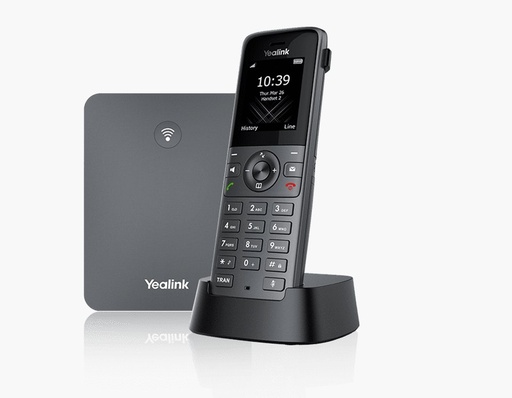 YEA-W73P
A W73H cordless handset on a W70B base. The base takes up to 10 handsets, so the whole shop floor stays reachable.
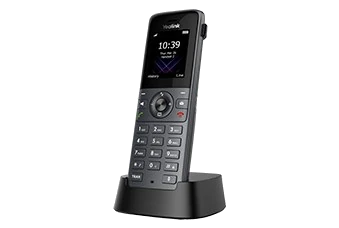 YEA-W73H
An extra cordless handset for the W70B base: HD voice and up to 35 hours of talk time.
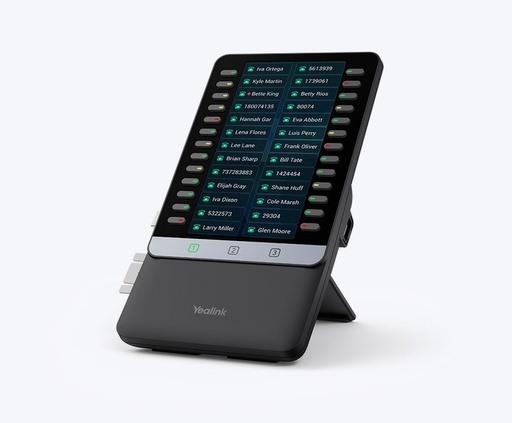 YEA-EXP55
A color expansion module with three pages of 26 keys for busy lights, park keys and speed dials.
Yealink T27P, T27G, T43U and T85W (with EXP20 sidecars); Grandstream GXP2160, GXP2170 and the DP755 cordless base. Many existing Yealink and Grandstream phones can be moved over remotely, so you may be able to keep the phones you have.
Your desk extension on your mobile phone, laptop or web browser, set up by scanning a QR code.
The HBE Yakabit softphone app runs on iPhone, Android, Windows, Mac, Linux or a web browser. It carries the same extension and directory as the desk phone, rings even when the app is closed, and handles hold, transfer and conference.
There is nothing to type. We email you a QR code; scan it in the app, or upload the image, and the softphone sets itself up with your extension and settings.
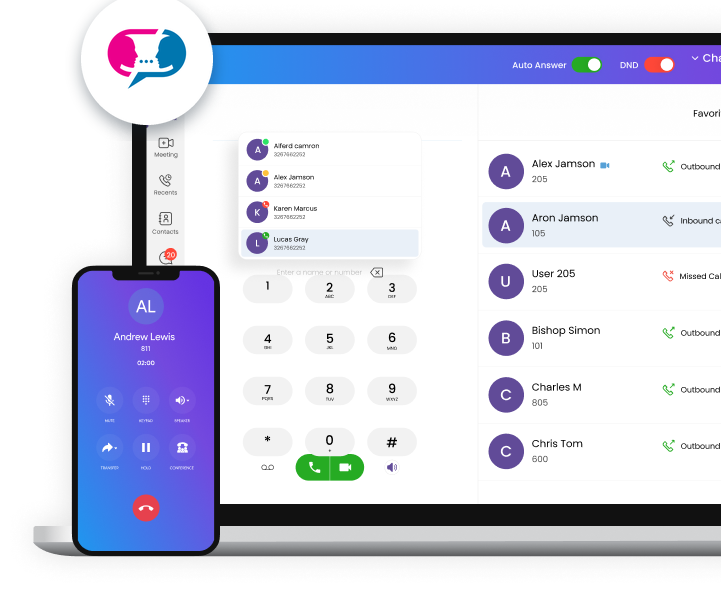
Each user gets a personal code for their own extension.
Open the app and scan the code with the camera, or upload the image on a computer.
Same number as the desk phone, ready to make and take calls.
Everything the HBE phone system does today, grouped by area. Every setting lives in one web portal.
Answers every number and sends each call where the customer wants it.
Visual call flow, hours, day/night switch, on-call rotation, timed announcementsPuts staff cells on the system without giving out personal numbers.
Ring my cell too, forward a number to a cell with a press-1 check, cell-only extensionsPhones arrive set up; buttons and labels are managed remotely.
Busy lights, park keys, sidecars, shared phone book, remote restartA full extension on iPhone, Android, Windows, Mac and browser.
Same number as the desk, encrypted, rings when the app is closedEvery office, branch, home office and field site works as one building.
3-digit dialing, shared park and busy lights, own number, hours and 911 address per siteMessages arrive by email, written out.
Transcripts, shared boxes with lit keys, tickets in the helpdesk, portal inboxRecords calls and writes them out word for word.
Who said what, search across every call, kept on HBE's own systemSounds professional and reaches the shop floor.
Your own hold music and messages, natural voices, paging zones, park and page, conference roomsKeeps calls private and emergency calls located.
Encrypted calls, private phone network, 911 address on every call, Kari's Law email, lockout protectionCustomers change things themselves; HBE sees everything.
Staff logins, call history, internet usage graphsDesk phones, wireless phones and softphones configure themselves from HBE Yakabit's own provisioning server, with nothing to type, and HBE can keep updating them after setup.
A provisioned phone fetches its own setup from HBE instead of being programmed by hand: your extension, button labels, phone book, time zone, security settings and approved firmware. Nobody types a password into a phone, every phone is set up the same way, and a replacement phone is working within minutes.
HBE Yakabit runs its own custom provisioning server, built on the same method the major phone makers use: each phone is recognized by its unique hardware (MAC) address and loads its own setup from our server. And it doesn't stop on day one: our customer service team can update phones in the field and change their settings at any time after the first setup.
HBE links the phone's hardware address to your extension and settings before it reaches you.
Connect power and the network cable, at the office, at home or at a branch.
On first boot the phone reaches HBE Yakabit's own provisioning server, which recognizes it by its MAC address.
Over an encrypted connection it loads its extension, private phone network, keys, phone book and firmware, and is ready to ring.
A personal code for each user's extension.
Scan it with the app, or upload the image on a computer.
The app sets itself up: no server addresses or passwords to type.