

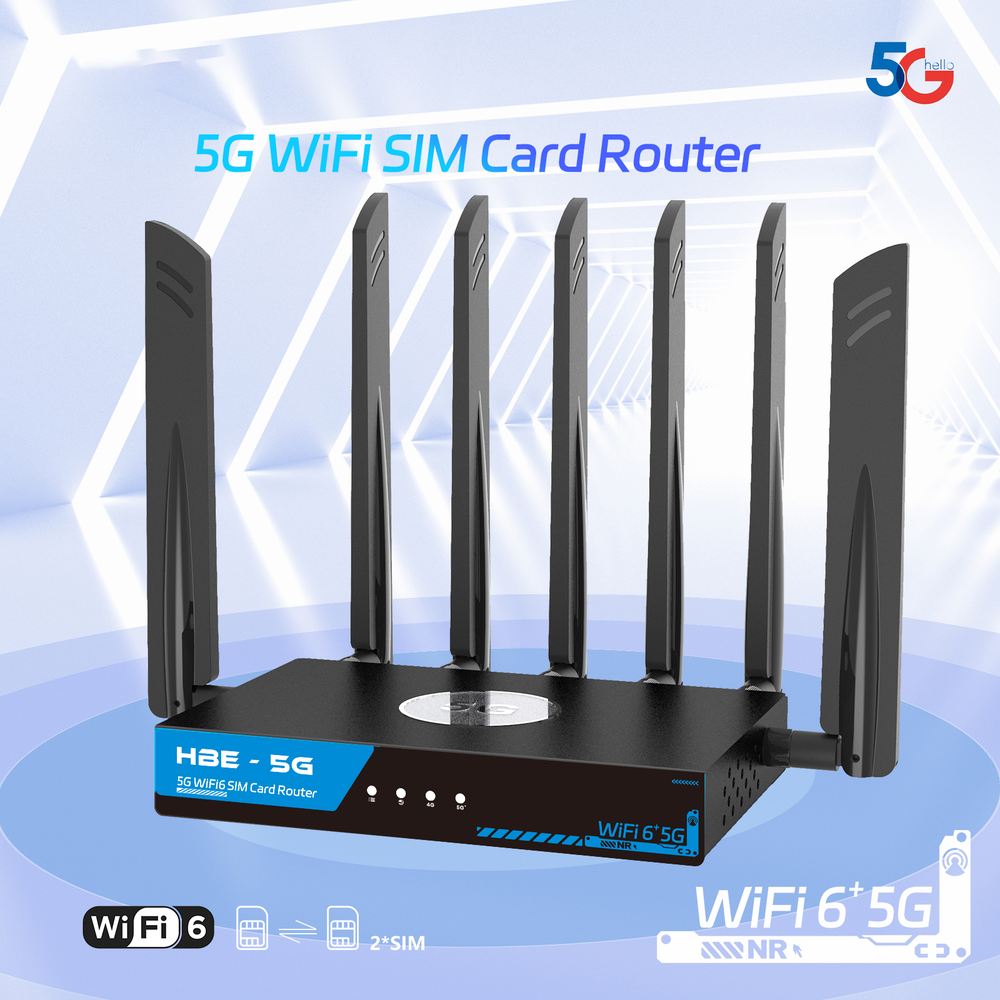
HBE-5G Dual SIM Indoor Router
SKU HBE-PRO-DX75Overview
The HBE-5G Indoor Router with Smart SIM card CPE is built on a new embedded platform designed to meet growing mobile connectivity needs and deliver exceptionally fast performance.
Compatible with both NSA and SA dual-mode 5G networks, the CPE supports network types worldwide, allowing simple plug-and-play setup for ultra-fast broadband access wherever service is available.
With built-in 802.11ax Wi-Fi 6 technology, the CPE provides wider wireless coverage, greater bandwidth, stronger security, improved network efficiency, and better power performance for smooth VR, AR, 4K, and 8K streaming.
- Wi-Fi 6 AX3000
- Dual nano-SIM
- 5G NSA/SA
- 2.4/5.8GHz
- 2.5 Gbps
- MESH networking
Choose a 5G Service Package to buy this router — it is sold only with one.
About the HBE-5G Indoor Router
5G home and business internet, all in one box
5G home and business internet with Wi-Fi 6, wired ports and a wired backup line, all in one box. The HBE-5G Indoor Router brings HBE 5G service indoors with nothing else to install.
Stays online
It combines a 5G modem, a dual-band Wi-Fi 6 router and wired Ethernet ports, and can switch to a wired internet line automatically if 5G drops.
The main router for HBE mesh
HBE-AX3000 units can extend its coverage. It runs HBE's own firmware and is always monitored and supported by HBE.
What the HBE-5G Indoor Router gives you
- 5G main, wired backupPlug another internet line into WAN and it takes over automatically when 5G is down.
- Wi-Fi 6 built inCovers a home or small office on its own; add HBE-AX3000 mesh units for more.
- Flexible WAN portUse it as a fourth LAN port, as a backup line, or for IP passthrough to a customer's own router.
- Managed by HBERemote access, fleet check-in and signal history for fast support.
- HBE's own firmware, always monitored and supported by HBE.
Technical specifications
| Model |
|
|---|---|
| 5G Module |
|
| CPU |
|
| Wi-Fi Frequency |
|
| Wi-Fi Standard |
|
| Wi-Fi |
|
| 5G NR |
|
| 5G Network Mode |
|
| 5G/4G Data Rate |
|
| 5G Frequency Bands |
|
| 4G & 3G Frequency Bands |
|
| Modulation Mode |
|
| Storage |
|
| Dimension |
|
| Interface |
|
| Network Extension |
|
| Antenna |
|
| Reset |
|
| MESH |
|
| LED Indicator |
|
| Power Consumption |
|
| Environment |
|
| Weight |
|
Package contents
- One (1) HBE-5G Indoor Router
- One (1) 1 m Cat6 Ethernet cable
- One (1) 12V DC 2A Power Supply
- Quick Start Guide
Throughput figures are theoretical maximums and depend on carrier network conditions.
Customer features
What the customer sees and can do on their own "My Wi-Fi" login.
Stays online
- With a wired line in the WAN port, the internet keeps working if 5G drops, and switches back by itself.
- Three gigabit ports for a PC, TV, game console or phone system.
Their own "My Wi-Fi" page
- A simple, separate login with no access to the technical settings, so nothing can be broken.
- Connection and signal in plain words, and every mesh unit with how well it is linked.
- Change the Wi-Fi name and password, change their own login password, restart the router.
Join by QR code & guest Wi-Fi
- Point a phone camera at the code to join, no typing; print a Wi-Fi card for the fridge or front desk.
- A separate guest network that keeps visitors off the home or office devices, with its own name and password.
Devices & people
- See every device on the Wi-Fi and which unit it is connected to; give devices friendly names.
- Group devices by person, pause the internet for a person (homework, dinner) or set a bedtime.
- Block a device that shouldn't be there; it can't rejoin any unit.
Speed test & whole-home Wi-Fi
- A speed test measured from the router itself (3 per day), with recent results.
- Mesh units work as one Wi-Fi network with one name and password.
- Clear phone calls while others stream or download (VoIP priority, set up by HBE).
Smart steering, automatically
- Phones, laptops and TVs that can use both bands are moved to the faster 5 GHz band when their signal is strong.
- Walk from one room to another and the device is handed to the nearest unit, instead of hanging on to a far one.
- Gentle by design: devices are only asked to move, so smart-home gadgets are never pushed off.
Easy on the eyes
- A dark look and a high-contrast light look, switched with one button and remembered per device.
Tech features
What HBE technicians get on the tech login, for setup, monitoring and support.
Wired ports & failover
- Three gigabit LAN ports and a gigabit WAN port, shown left to right exactly as on the case.
- WAN port modes: extra LAN port (default), "5G main, WAN failover", or the wired line as main with 5G as backup.
- IP passthrough: hand the 5G public address to a customer's own router or firewall.
5G & LTE in detail
- Separate 5G NR and 4G LTE signal meters (RSRP, RSRQ, SINR) with the band, primary and aggregated carriers, frequency, channel width, PCI and cell for each.
- Nearby cells list and signal history.
- Antenna aiming page: a large live reading with "best so far" while the unit is positioned.
Control of the cellular link
- Band selection and tower (cell) lock for difficult locations.
- Automatic APN profiles by SIM (e.g. T-Mobile, Metro), editable by the technician.
- Dual SIM with automatic failover to the second SIM.
- Self-healing: a stuck modem is power-cycled and reconnected without restarting the router.
Mesh tools
- Simple pairing: make one router the main unit, copy its pairing code, type it on each extra unit; units linked by WPA3-secured Wi-Fi or by cable.
- Link quality & routes: signal per antenna, rates, retries and drops per link, which way each unit's traffic flows, and a one-click test for packet loss, round trip and jitter.
- Every unit follows the main router's 2.4 GHz and 5 GHz channels automatically.
- Placement meter for positioning units; fast roaming (802.11r) available, off by default so older devices always connect.
Mesh health & smart steering
- Mesh health: every link recorded once a minute for 24 hours (signal, retries, offline moments), charted per link and graded each hour; a link that needs a look is flagged on the Status page and in the fleet check-in.
- Smart steering (band steering and nearest-unit roaming with 802.11k/v), on by default and switched for the whole mesh from the main router.
- Steering view: every unit's access points with devices, airtime load, noise and roams, and which devices can be steered.
- Wi-Fi devices per band (2.4 / 5 GHz) on every unit.
Live network stats
- Internet traffic per uplink (5G, WAN port): speed now and 5-minute average, and which one is in use.
- Wi-Fi airtime per band (busy now, this router's share, average) and the noise floor.
- Channel scan with each channel's frequency, neighbour networks, noise floor and airtime.
- Status page opens in about a second; every value refreshes by itself.
Stable Wi-Fi channels
- New routers start on 2.4 GHz channel 1 and 5 GHz channel 36.
- Radar (DFS) channels are never used: they make 5 GHz wait or drop out. A router found on one moves to 36 by itself.
- Channel numbers are shown with their frequency everywhere (e.g. ch 149 · 5.745 GHz).
Speed & VoIP
- Smart queue management (SQM) keeps the connection responsive when it is busy, with suggested settings taken from the router's own speed tests.
- VoIP priority for SIP and voice (RTP) traffic, with the ports to match the phones or PBX.
- Speed test with server choice and a history that records the radio conditions of each run.
Remote support & fleet tools
- WireGuard remote access for HBE technicians; PBX VPN (OpenVPN) for hosted phone systems.
- Fleet check-in and bandwidth reporting to HBE's monitoring.
- Fleet templates: save one router's setup and apply it to others, with a preview of every change.
- Health-check report and one-file firmware installer for technicians; updates keep the settings.
Built to be easy to support
- Live status dashboard: ports with link speed, mesh units, internet and services, updated automatically, with "waiting" and "stale" marks instead of old numbers.
- Find a setting: type "password", "channel", "port forward"... and jump straight there.
- Warning when another router is handing out addresses on the network (a cable in the wrong port).
- Scheduled reboot and an optional connection watchdog.
- Reset button (10 s) restores the customer side and keeps the technician settings; a full factory reset with a confirmation step is available to technicians.
- Firmware shown simply as "HBE Firmware" with its build number on every page and in the installer.
Guest Wi-Fi & controls
- Guest network options: keep guests apart, a shared speed limit and an on-schedule.
- Devices & people on the tech side too, across every mesh unit.