

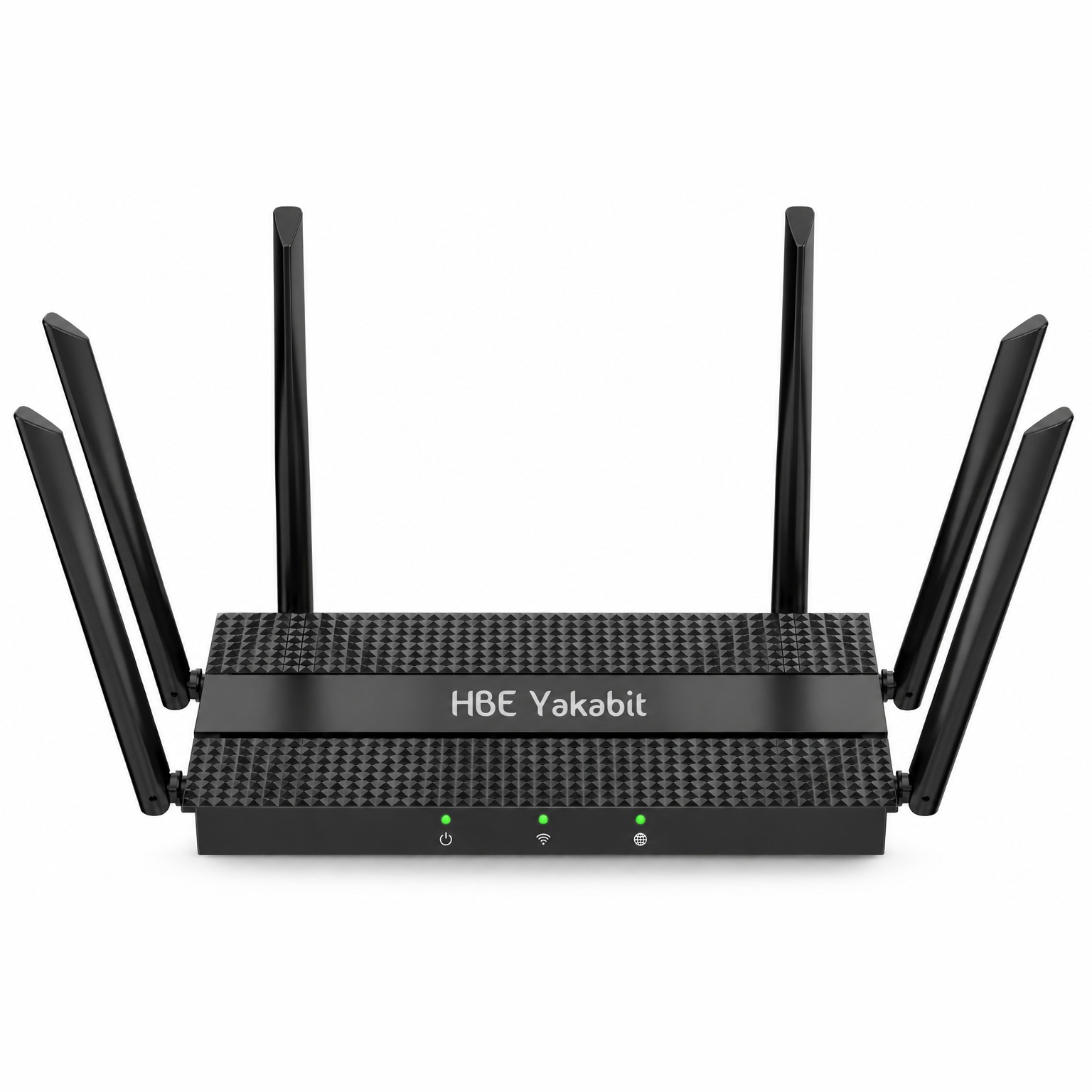
HBE-AX3000 Res/Business Router
Model HBE-AX3000Overview
HBE’s own custom firmware built on the OpenWrt platform - Very secure
The HBE‑AX3000 is a dual-band Wi‑Fi 6 router running HBE’s own firmware, perfect for homes and small offices that have outgrown a carrier-supplied gateway. It pairs a 2.4 GHz radio at up to 574 Mbps with a 5 GHz radio at up to 2402 Mbps, and puts six 5 dBi external antennas around the chassis so the signal reaches the far corners of a building rather than the room the router sits in.
- Wi‑Fi 6
- 2.4 + 5 GHz
- 3000 Mbps
- 6 antennas
- 1 WAN + 4 LAN
- Mesh + VPN
- HBE firmware
About the HBE-AX3000
Fast dual-band Wi-Fi 6
Fast dual-band Wi-Fi 6 that grows into whole-home mesh, with the controls customers actually use.
One router, three jobs
The HBE-AX3000 is a dual-band AX3000 Wi-Fi 6 router with five gigabit ports. It works as the main router on any internet line, as the indoor Wi-Fi for an HBE 5G unit, or as a mesh unit that extends another HBE router.
HBE's own firmware
HBE's own firmware, with a simple customer page and a full technician interface built on the OpenWrt platform which makes it extremely secure.
Why Wi-Fi 6
Wi‑Fi 6 matters most where a network is busy rather than where it is fast. On a household or an office of phones, laptops, cameras and voice handsets, the gain shows up as lower latency and less congestion when everyone is on at once, rather than as a higher number on a speed test.
Wired ports
Wired clients are not an afterthought: one Gigabit WAN port and four Gigabit LAN ports handle the broadband uplink and four wired devices at full speed. It runs as a DHCP or PPPoE gateway, as an access point on an existing network, or as a wireless repeater, and pairs with compatible Mesh units when one unit will not cover the building.
Supplied and supported by HBE Yakabit
HBE Yakabit supplies and supports the HBE‑AX3000 directly — the same arrangement as the rest of our hardware: one company for the router, the internet service and the phone system, and one number to call when something needs attention.
What the HBE-AX3000 gives you
- Mesh readyMain router or mesh unit, by Wi-Fi or by cable, with smart steering and 24-hour mesh health.
- Family controlsPause, bedtimes and device blocking by person.
- Clear callsVoIP priority and SQM for offices and home phone service.
- Easy to ownCustomer page, QR join codes and a 3-a-day speed test.
- HBE's own firmware, always monitored and supported by HBE.
Technical specifications
| Model |
|
|---|---|
| Wireless standards |
|
| Operating System |
|
| Processor |
|
| Memory |
|
| Wi-Fi bands |
|
| Combined wireless rate |
|
| Wi-Fi rate |
|
| Frequency range |
|
| Channel width |
|
| Antennas |
|
| Interface |
|
| Recommended cabling |
|
| Operating modes |
|
| Mesh pairing |
|
| Router functions |
|
| VPN protocols |
|
| Wireless security |
|
| LED Indicator |
|
| Modem |
|
| Power input |
|
| Reset |
|
| Editions |
|
| WPS button |
|
Package contents
- One (1) HBE-AX3000 Res/Business Router
- One (1) DC 12 V power adapter
- One (1) Ethernet cable
- User manual
Wireless rates are theoretical PHY maximums; real-world performance varies with environment, client capability and network conditions. Available channels and frequencies vary by country and region.
Customer features
What the customer sees and can do on their own "My Wi-Fi" login.
Their own "My Wi-Fi" page
- A simple, separate login with no access to the technical settings, so nothing can be broken.
- Connection and signal in plain words, and every mesh unit with how well it is linked.
- Change the Wi-Fi name and password, change their own login password, restart the router.
Join by QR code & guest Wi-Fi
- Point a phone camera at the code to join, no typing; print a Wi-Fi card for the fridge or front desk.
- A separate guest network that keeps visitors off the home or office devices, with its own name and password.
Devices & people
- See every device on the Wi-Fi and which unit it is connected to; give devices friendly names.
- Group devices by person, pause the internet for a person (homework, dinner) or set a bedtime.
- Block a device that shouldn't be there; it can't rejoin any unit.
Speed test & whole-home Wi-Fi
- A speed test measured from the router itself (3 per day), with recent results.
- Mesh units work as one Wi-Fi network with one name and password.
- Clear phone calls while others stream or download (VoIP priority, set up by HBE).
Smart steering, automatically
- Phones, laptops and TVs that can use both bands are moved to the faster 5 GHz band when their signal is strong.
- Walk from one room to another and the device is handed to the nearest unit, instead of hanging on to a far one.
- Gentle by design: devices are only asked to move, so smart-home gadgets are never pushed off.
Easy on the eyes
- A dark look and a high-contrast light look, switched with one button and remembered per device.
Tech features
What HBE technicians get on the tech login, for setup, monitoring and support.
Internet connection
- DHCP, static address or PPPoE on the WAN port.
- Works behind any modem or fiber terminal, and as the Wi-Fi for HBE 5G units.
Mesh tools
- Simple pairing: make one router the main unit, copy its pairing code, type it on each extra unit; units linked by WPA3-secured Wi-Fi or by cable.
- Link quality & routes: signal per antenna, rates, retries and drops per link, which way each unit's traffic flows, and a one-click test for packet loss, round trip and jitter.
- Every unit follows the main router's 2.4 GHz and 5 GHz channels automatically.
- Placement meter for positioning units; fast roaming (802.11r) available, off by default so older devices always connect.
Mesh health & smart steering
- Mesh health: every link recorded once a minute for 24 hours (signal, retries, offline moments), charted per link and graded each hour; a link that needs a look is flagged on the Status page and in the fleet check-in.
- Smart steering (band steering and nearest-unit roaming with 802.11k/v), on by default and switched for the whole mesh from the main router.
- Steering view: every unit's access points with devices, airtime load, noise and roams, and which devices can be steered.
- Wi-Fi devices per band (2.4 / 5 GHz) on every unit.
Live network stats
- Internet traffic per uplink (5G, WAN port): speed now and 5-minute average, and which one is in use.
- Wi-Fi airtime per band (busy now, this router's share, average) and the noise floor.
- Channel scan with each channel's frequency, neighbour networks, noise floor and airtime.
- Status page opens in about a second; every value refreshes by itself.
Stable Wi-Fi channels
- New routers start on 2.4 GHz channel 1 and 5 GHz channel 36.
- Radar (DFS) channels are never used: they make 5 GHz wait or drop out. A router found on one moves to 36 by itself.
- Channel numbers are shown with their frequency everywhere (e.g. ch 149 · 5.745 GHz).
Speed & VoIP
- Smart queue management (SQM) keeps the connection responsive when it is busy, with suggested settings taken from the router's own speed tests.
- VoIP priority for SIP and voice (RTP) traffic, with the ports to match the phones or PBX.
- Speed test with server choice and a history that records the radio conditions of each run.
Remote support & fleet tools
- WireGuard remote access for HBE technicians; PBX VPN (OpenVPN) for hosted phone systems.
- Fleet check-in and bandwidth reporting to HBE's monitoring.
- Fleet templates: save one router's setup and apply it to others, with a preview of every change.
- Health-check report and one-file firmware installer for technicians; updates keep the settings.
Built to be easy to support
- Live status dashboard: ports with link speed, mesh units, internet and services, updated automatically, with "waiting" and "stale" marks instead of old numbers.
- Find a setting: type "password", "channel", "port forward"... and jump straight there.
- Warning when another router is handing out addresses on the network (a cable in the wrong port).
- Scheduled reboot and an optional connection watchdog.
- Reset button (10 s) restores the customer side and keeps the technician settings; a full factory reset with a confirmation step is available to technicians.
- Firmware shown simply as "HBE Firmware" with its build number on every page and in the installer.
Guest Wi-Fi & controls
- Guest network options: keep guests apart, a shared speed limit and an on-schedule.
- Devices & people on the tech side too, across every mesh unit.